Improve Your Writing Style With Writer for Chrome

Whether you’re a writer or an editor, it’s always good to be writing correctly.

The easiest way to do that is with Writer for Chrome.

Here’s how it works.

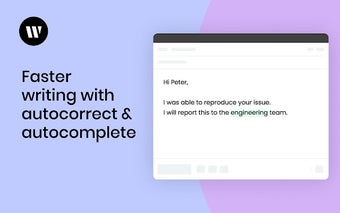
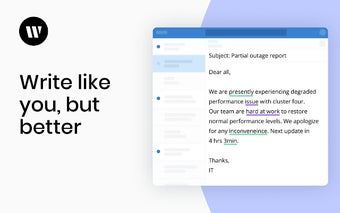
Every time you make a mistake, the extension will correct it in real-time. You can also correct grammar, spelling, and punctuation.

These corrections are shown as bubbles on your screen and you can move them around or remove them.

This is a learning tool.

It helps you learn to write better.

With this feature, you can turn the words in your messages into bubbles and highlight them with a color.

This way, you’ll make sure that you’re using the right words.

You can also highlight words that you don’t use.

You can remove these words and replace them with the ones you’re trying to use.

This will help you improve your writing style.

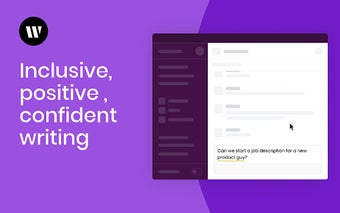
Make sure you’re using the right tone.

The app can also suggest words that you should use.

Make sure that you’re using the right tone.

The best thing about this tool is that it’s a learning tool.

If you’re using the extension, you can mark your messages.

This way, you can know if you’re making any mistakes.

You can also add a link to a specific part of the message.

This way, you’ll be able to access it easily.
 0/4

App specs

  • License

    Free

  • Version

    2.14.6

  • Latest update

  • Platform

    chrome

  • Language

    English

  • Downloads

    45

  • Developer

Program available in other languages


User reviews about Writer

Have you tried Writer? Be the first to leave your opinion!

Add review

Top extensions for Google Chrome

Top downloads AI Text generator & editor for Google Chrome

Top downloads AI Text generator & editor for Google Chrome

Top downloads AI Text generator & editor for Google Chrome

Related topics about Writer

You may also like

Explore Apps

Latest articles

Laws concerning the use of this software vary from country to country. We do not encourage or condone the use of this program if it is in violation of these laws.
Softonic

Is Writer safe?

100/100

Score result: Clean

This file passed a comprehensive security scan using VirusTotal technology. It is safe to download.

  • Virus free
  • Spyware free
  • Malware free
  • Verified by Security Partners

    VirusTotal logo

Scan Info

Last scan
Thursday, July 31, 2025
Scan provider
VirusTotal

Softonic security commitment

Writer has been thoroughly scanned by our advanced security systems and verified by industry-leading partners. This file comes from the official developer and has passed all our security checks, showing no signs of viruses, malware, or spyware. For more information, visit our Security and Trust Center